Live CaptureGo live as
Go live as
someone else.
Your camera goes to a cloud GPU and comes back as your target, about 2.4 seconds later. Use it in the browser, record it, or bring it into OBS, Zoom and Teams.
$1 per started minute. Checks, start-up and waiting are free.
app.jigcam.com/live
● LIVE00:23:41$36 left · about 36 min
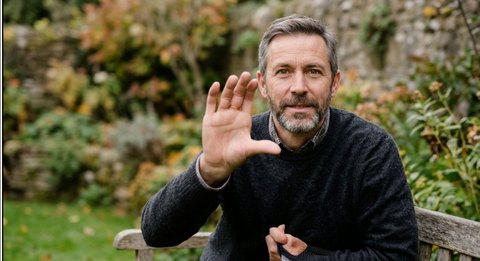 AI-GENERATED
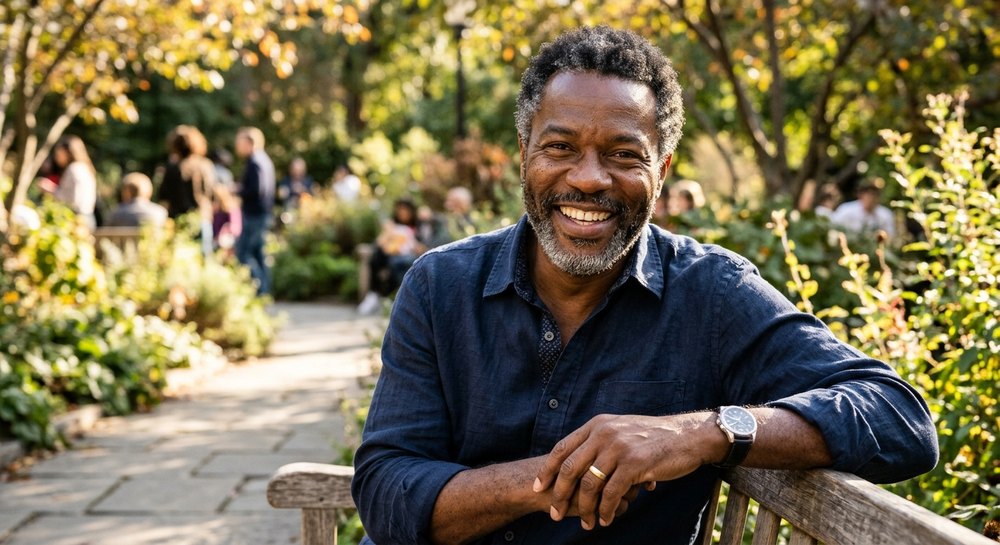
2.42 s behind11.4 fps outputSent to Dana's laptop · “JigCam” camera


- 2.4 s
- behind your camera; pause briefly after a gesture
- 11 fps
- output rate, measured on an H100
- 672 × 384
- live output, shown sharp at 720p
- 6 s
- to switch to another target while live
A session, step by step
Pay only while you're live
Checks
Free. Camera, light, connection and GPU stock, before anything is charged.GPU start-up
Free. An H100 is reserved and the model loads; 3 to 12 minutes today.Live
$1 per started minute. Switch targets in seconds; a warning comes 5 minutes before credit runs out.End
The GPU is removed and the server's copies are deleted, and both are verified.
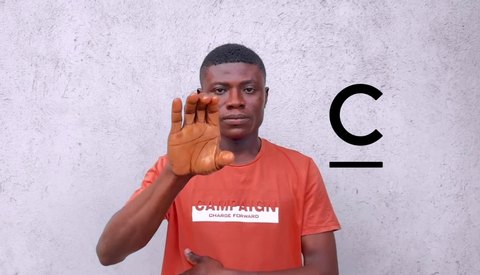
CAMERAOUTPUTAI-GENERATEDShown: a Wan2.2-Animate result from an openly licensed clip. Live output is 672 × 384 and runs about 2.4 s behind you.
What changes, what doesn't
Their appearance. Your movement.
The whole upper body changes: face, hair, skin, neck, torso and clothing. Your head, expressions, arms, hands and fingers come from the camera.
- Your build in the output comes from the target's photo, not from you
- Held objects such as a glass or a phone are copied into the output
- Up to 8 photos per target help with turns and speech
Where the output goes
Present it, record it, or make it a camera
A browser tab can't be a camera for other apps; the desktop app can. Use whichever fits.
Watch and present straight from the tab, full screen.
A WebM file with the AI mark and content credentials. JigCam doesn't keep it.
The desktop app receives it and shows it as the “JigCam” camera.
A clean window OBS can capture when the desktop app isn't installed.
“JigCam” camera
Desktop app · receiving from this browser
OBS Studio 30.2Using JigCam
ZoomAvailable
Microsoft TeamsAvailable
RecordingOff
Honest limits
What it can't do yet
We'd rather you know before you pay. These are measured today, and we update them as they improve.
- DelayOutput runs about 2.4 s behind you. It suits presenting and streaming better than fast back-and-forth conversation.
- ResolutionLive output is 384p (672 × 384).
- SoundAudio isn't processed. In OBS, delay your microphone by 2.4 s so your lips match.
- Fast handsVery fast hand movement smears, as a camera's own picture does in dim light.
- Held objectsA bottle may show only its neck; a phone at the ear is sometimes missed.
- BackgroundThe background comes from the target's photo, not your room.
FAQ
Questions
Checks take seconds. Reserving a GPU and loading the model takes 3 to 12 minutes today, and it's free. A faster start from a warm pool is planned.
Yes, through the desktop app, which shows the output as the “JigCam” camera. A browser tab can't be a camera for other apps, so from the browser you present the tab itself or send the output to the desktop app on a computer.
The app tries to reconnect. If a frame cannot be transformed, a neutral frame is shown, never your camera picture. A session left without a connection for 10 minutes ends on its own and the GPU is removed.
No. Your camera is used only for movement. Frames stay in GPU memory and are never written to disk.
A photo of yourself, or of someone who has given you permission. Up to 8 photos per target help with turns and speech. Target photos are encrypted in your account.